Shop(03)

당신의 작업이
움직이는 자리.
A place for
your work to move.

책, 이미지, 생각을 웹에 펼치는 세 가지 방식. 생태제작소가 만든 Kirby CMS 템플릿으로 나만의 책장과 지도를 만들어보세요.Three ways to put books, images and ideas on the web. Build your own shelf or map with Kirby CMS templates made by STstudio.

디지털 템플릿 · 데모로 먼저 둘러보기 · Gumroad에서 구매Digital templates · Explore the demos · Purchase on Gumroad

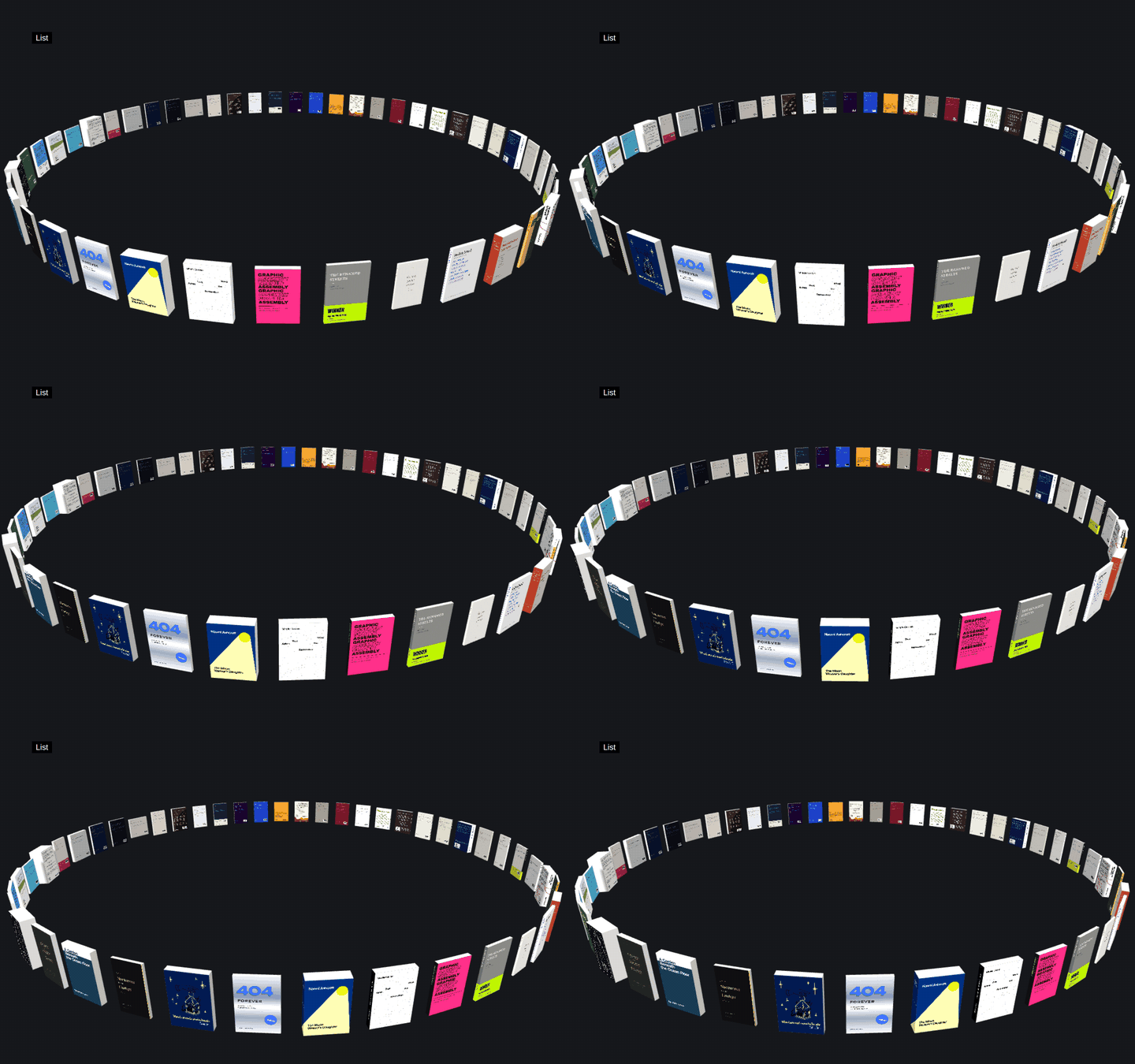
01 / Books3D bookshelf
Books 데모 보기Explore Books demo

Books

Kirby 5

책의 모양 그대로, 온라인 책장.Your books, as books.

표지와 책등, 뒤표지와 실제 크기로 입체 책을 만듭니다. 천천히 회전하는 책을 누르면 가까이 다가가 자세히 볼 수 있습니다.Turn a cover, spine, back and real dimensions into a three-dimensional book. Books turn gently; select one to move in for a closer look.

  • 출판 · 북디자인 · 포트폴리오Publishing · Book design · Portfolios
  • Kirby Panel에서 책과 이미지 관리Manage books and images in the Kirby Panel
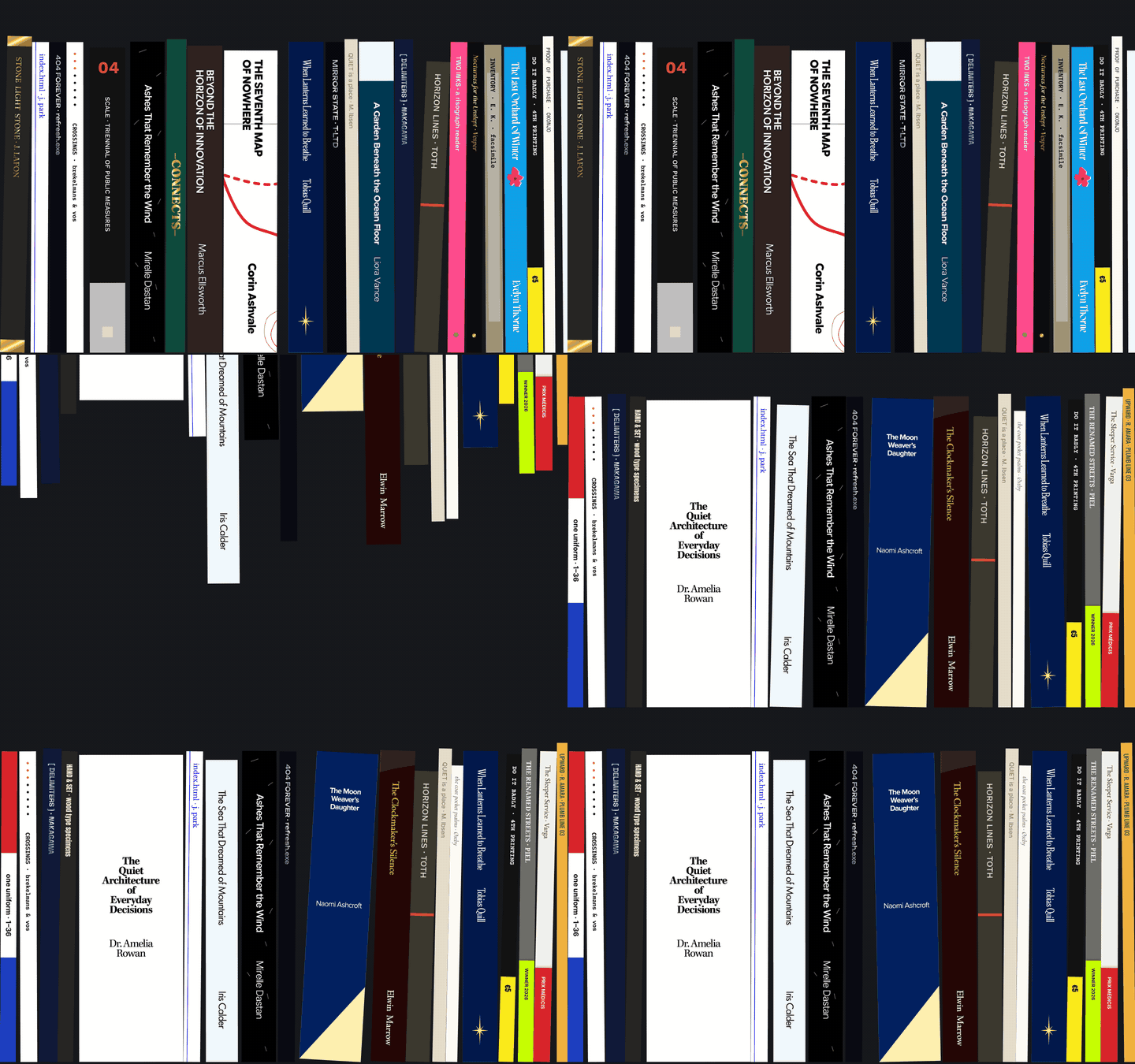
02 / LibraryPhysics bookshelf
Library 데모 보기Explore Library demo

Library

Kirby 5

만지고, 던지고, 다시 쌓는 서재.A shelf with gravity.

책등이 떨어지고 부딪히며 책장을 채웁니다. 책을 잡아 움직이거나 던져보세요. 가로로 이어지는 서재는 방문할 때마다 새로운 순서로 펼쳐집니다.Spines fall, collide and settle on a shelf. Pick up a book and give it a throw. The shelf scrolls sideways and reshuffles with each visit.

  • 개인 서재 · 컬렉션 · 출판 목록Personal libraries · Collections · Catalogues
  • 책등 이미지로 만드는 물리 인터랙션Physics interactions with your own book spines
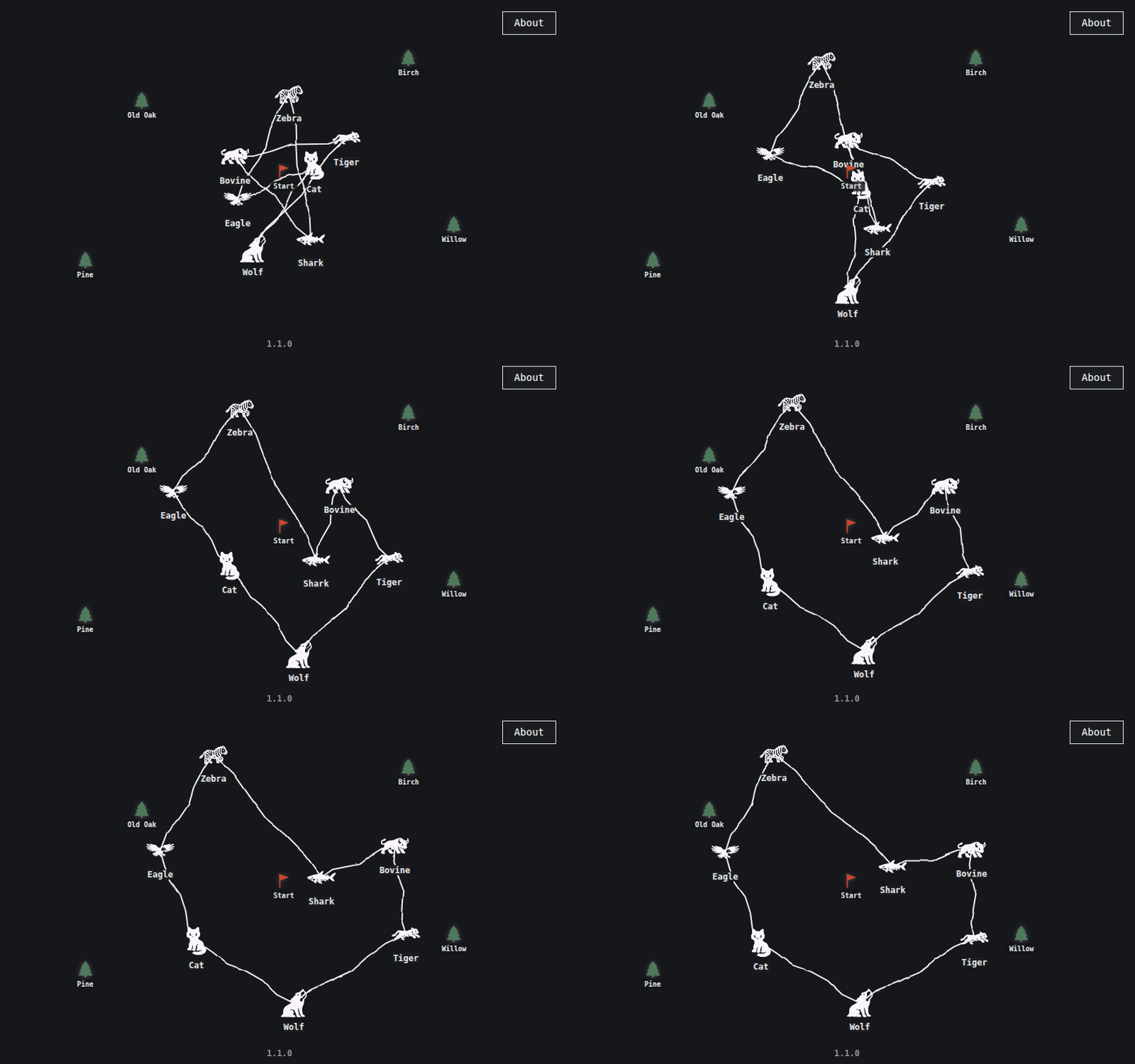
03 / MapNetwork map
Map 데모 보기Explore Map demo

Map

Kirby 5

생각 사이의 관계를 그리는 지도.Draw the map of your world.

프로젝트, 사람, 장소, 생각을 연결합니다. Panel에서 관계를 정하면 손으로 그린 듯한 선이 생기고, 하나를 움직이면 지도 전체가 반응합니다.Connect projects, people, places or ideas. Choose their relationships in the Panel and sketch-like lines appear. Drag one node and the whole map responds.

  • 리서치 · 아카이브 · 프로젝트 지도Research · Archives · Project maps
  • 이미지와 연결 관계를 직접 편집Edit images and connections in the Panel

구매 안내Good to know.

먼저 데모를 움직여보고, 설치 가이드에서 내 환경에 맞는지 확인하세요.Try a demo first, then check the setup guide to see what your site will need.

어떤 상품인가요?What am I buying?

내 서버에 설치하고 Kirby Panel에서 내용을 편집하는 웹사이트 템플릿입니다. 데모는 템플릿의 화면과 움직임을 보여주는 정적 미리보기입니다. 구매와 다운로드는 Gumroad 상품 페이지에서 진행합니다.A website template to install on your own server and edit through the Kirby Panel. Each demo is a static preview of the template's appearance and interactions. Purchase and download are handled through the Gumroad product page.

설치에 무엇이 필요한가요?What do I need to install it?

PHP 8.2 이상을 지원하는 호스팅이 필요하며 데이터베이스는 필요하지 않습니다. Kirby 본체와 공개 사이트용 라이선스는 템플릿에 포함되지 않습니다. 설치 가이드에 따라 Kirby를 추가하고, 라이선스는 Kirby 공식 사이트에서 별도로 확인하세요.You need hosting with PHP 8.2 or newer; no database is required. Kirby itself and its production licence are not included. Follow the setup guide to add Kirby, and check the licence separately on the Kirby website.

PayPal로 결제할 수 있나요?Can I pay with PayPal?

결제는 Gumroad에서 진행합니다. 해당 주문의 결제 화면에 PayPal이 표시될 때 선택할 수 있습니다. 최종 가격과 세금, 사용 가능한 결제 수단은 Gumroad 결제 화면에서 확인하세요.Checkout takes place on Gumroad. You can choose PayPal when it is offered for your order at checkout. Gumroad shows the final price, taxes and available payment methods before you pay.

사용 범위와 구매 후 문의는요?What about usage and support?

템플릿 라이선스 하나로 웹사이트 하나를 만들 수 있으며, 템플릿 코드 자체의 재판매는 허용되지 않습니다. 구매 조건과 환불 정책은 Gumroad 상품 페이지에서 확인하세요. 다운로드와 주문 관련 문의는 Gumroad 구매 내역에서, 맞춤 제작은 스튜디오에 문의해주세요.One template licence covers one finished website; the template code may not be resold as a template. Check the Gumroad listing for purchase terms and refund policy. For download and order questions, use your Gumroad purchase details. For a custom project, contact the studio.